
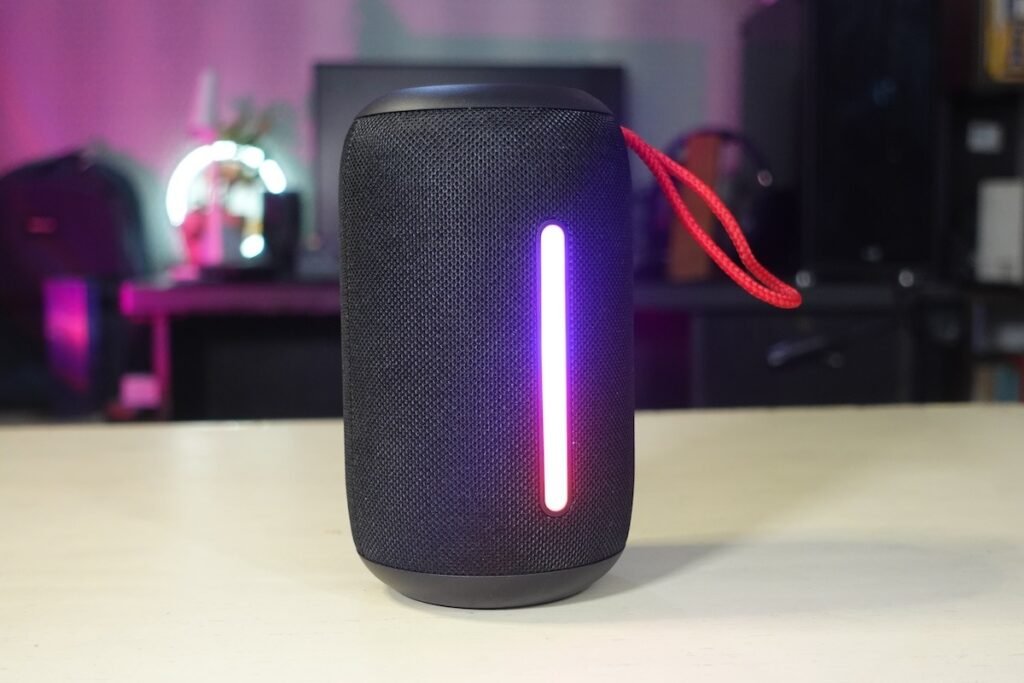
1. Adjust Placement
○ Optimal Positioning: Place your Bluetooth speaker on a flat, stable surface. Avoid placing it in corners or near walls where sound may be obstructed or distorted.
○ Height and Angle: Position the speaker at ear level and angle it towards the listening area for the best sound experience.
2. Fine-Tune Audio Settings
○ Equalizer Adjustments: Use the speaker’s companion app (if available) to adjust the equalizer settings. Balance the bass, midrange, and treble to suit your preferences.
○ Sound Modes: Experiment with different sound modes or presets (e.g., bass boost, vocal enhancement) to find the one that enhances your listening experience.
3. Update Firmware
○ Check for Updates: Manufacturers often release firmware updates that can improve sound quality. Check for and install any available updates through the speaker’s companion app or the manufacturer’s website.
4. Pair with High-Quality Source
○ Audio Files: Use high-quality audio files for playback. Lossless or high-bitrate formats provide better sound quality compared to compressed files.
○ Bluetooth Codec: Ensure your device and speaker support high-quality Bluetooth codecs such as aptX, AAC, or LDAC, which can improve audio transmission quality.
5. Reduce Interference
○ Minimize Obstacles: Keep the speaker away from other electronic devices that may cause interference. Ensure a clear line of sight between the speaker and your Bluetooth source for a stable connection.
○ Bluetooth Range: Stay within the recommended Bluetooth range (typically 30 feet or 10 meters) to maintain a strong and interference-free connection.
6. Use the Speaker’s Features
○ Stereo Pairing: If your speaker supports stereo pairing, connect two speakers to create a fuller, more immersive sound experience.
○ Multi-Room Setup: For a more cohesive sound experience, use speakers that support multi-room audio to synchronize playback across different rooms.
7. Adjust Volume Levels
○ Volume Balance: Avoid setting the speaker volume to maximum, as this can cause distortion. Set the volume to a level where the sound remains clear and balanced.
○ Source Volume: Adjust the volume on both the speaker and your Bluetooth source device to achieve the desired sound quality.
8. Regular Maintenance
○ Clean the Speaker: Dust and debris can affect sound quality. Clean the speaker periodically with a soft, dry cloth and ensure that the speaker’s ports and drivers are free from obstructions.
○ Check for Damage: Inspect the speaker for any signs of damage, such as loose components or damaged drivers, which can impact sound quality.
9. Experiment with Audio Sources
○ Different Devices: Test the speaker with different audio sources (e.g., smartphones, tablets, computers) to see if the sound quality improves with specific devices.
○ Streaming Services: Try different music streaming services, as some may offer better audio quality settings or higher bitrate streams.
10. Optimize Connectivity
○ Bluetooth Connection: Ensure a strong Bluetooth connection by keeping your device and speaker close together and avoiding physical obstructions.
○ Wired Connection: If your speaker supports wired connections (e.g., aux input), use them for a potentially more stable and higher-quality audio connection.
By implementing these strategies, you can significantly enhance the sound quality of your Bluetooth speaker, ensuring a more enjoyable and immersive listening experience.




linezolid cost uk
linezolid cost uk
what does zoloft do
what does zoloft do
dexlansoprazole dexilant 60 mg capsule
dexlansoprazole dexilant 60 mg capsule
tadalafil workout pump
tadalafil workout pump
sildenafil 50mg images
sildenafil 50mg images
vidalista ct 20 mg
vidalista ct 20 mg
zudena 100mg
zudena 100mg
finasteride beard development
finasteride beard development
semaglutid köpa online flashback
semaglutid köpa online flashback
walmart tadalafil price
walmart tadalafil price
ketoconazole general info
ketoconazole general info
minoxidil full information
minoxidil full information
orlistat contraindications
orlistat contraindications
bronchitis first‑line treatment
bronchitis first‑line treatment
penicillin allergy pediatric
penicillin allergy pediatric
amoxicillin reaction risks
amoxicillin reaction risks